> ## Documentation Index
> Fetch the complete documentation index at: https://docs.mangrovesystems.com/llms.txt
> Use this file to discover all available pages before exploring further.
# Generate CI scores
> Calculate CI scores from actual and forecast production data from a reporting period.
### Step 1: Generate Production Batches
CI scores are calculated from **batches** on your actual and forecast ledgers. Start by generating those batches for the reporting period:
1. **Actual ledger** — Generate batches for the reporting period in **Production Accounting → \[Actual Ledger Name]** (e.g. "Gas Injected")
2. **Forecast ledger** — If configured, generate batches for the reporting period in **Production Accounting → \[Forecast Ledger Name]** (e.g. "Forecast Gas Injected")
Without batches in the reporting period, the Generate Score flow will not have any operational data to calculate CI off of.
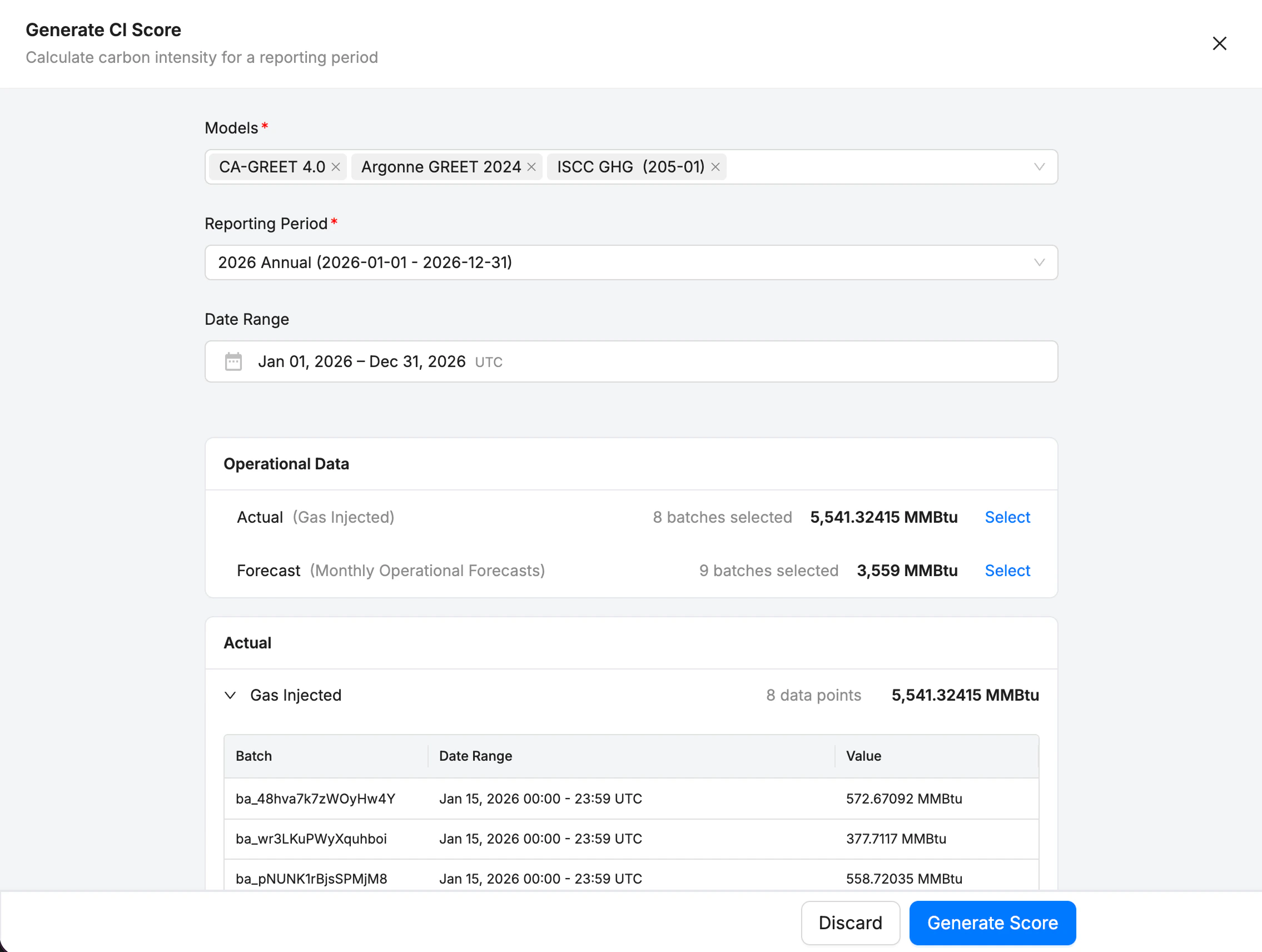 ### Step 2: Generate CI Score
1. Open **Production Accounting → CI Scores**
2. Click **Generate Score**
3. Select:
* **Model(s)** — one or more score models
* **Reporting period**
* **Date range** — this gets filled automatically from the reporting period, but user is able to adjust
* **Batches** — Production Batches get auto-detected within the range, and user can select actual and/or forecast batches to include
4. Click **Generate Score** to create the score. The models run in the background, and adds a new score at the top of the ledger.
5. The latest calculated scores are shown in the project' overview.
### Step 2: Generate CI Score
1. Open **Production Accounting → CI Scores**
2. Click **Generate Score**
3. Select:
* **Model(s)** — one or more score models
* **Reporting period**
* **Date range** — this gets filled automatically from the reporting period, but user is able to adjust
* **Batches** — Production Batches get auto-detected within the range, and user can select actual and/or forecast batches to include
4. Click **Generate Score** to create the score. The models run in the background, and adds a new score at the top of the ledger.
5. The latest calculated scores are shown in the project' overview.